Your availability state lets other users see whether you are free to take calls. This article explains how to change your availability state on the bOnline desktop app and what each state means.
Availability States
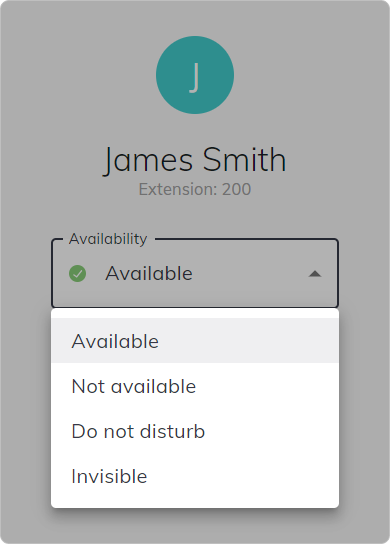
- Available — you are online and ready to receive calls.
- Not Available — you are online but not available to take calls.
- Do Not Disturb — incoming calls are silenced and will not ring through to your device.
- Invisible — you appear offline to other users but can still make and receive calls.
How to Change Your Availability State
- Click My Profile in the bottom-left of the screen.
- Select Availability.
- Choose your preferred state: Available, Not Available, Do Not Disturb, or Invisible.
Status
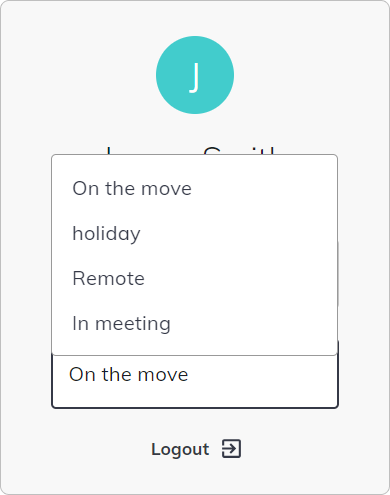
These option include:
- On the move.
- Holiday.
- Remote.
- In Meeting.
Related Articles
Was this article helpful?
That’s Great!
Thank you for your feedback
Sorry! We couldn't be helpful
Thank you for your feedback
Feedback sent
We appreciate your effort and will try to fix the article