AI Call Recording doesn't just store your calls — it reads them for you. Every call is automatically transcribed, summarised, scored for sentiment, and turned into a short list of action items. It's like having an assistant that flags which calls went well, which need attention, and what to do next.
The markers on each call
In your call list, every entry shows:
Sentiment — a colour-coded face showing whether the call was positive, neutral, or negative, based on the tone, pacing, and language used.
AI tag — marks that an AI summary and transcript are ready for that call.
Caller flag — first-time caller or repeat caller.
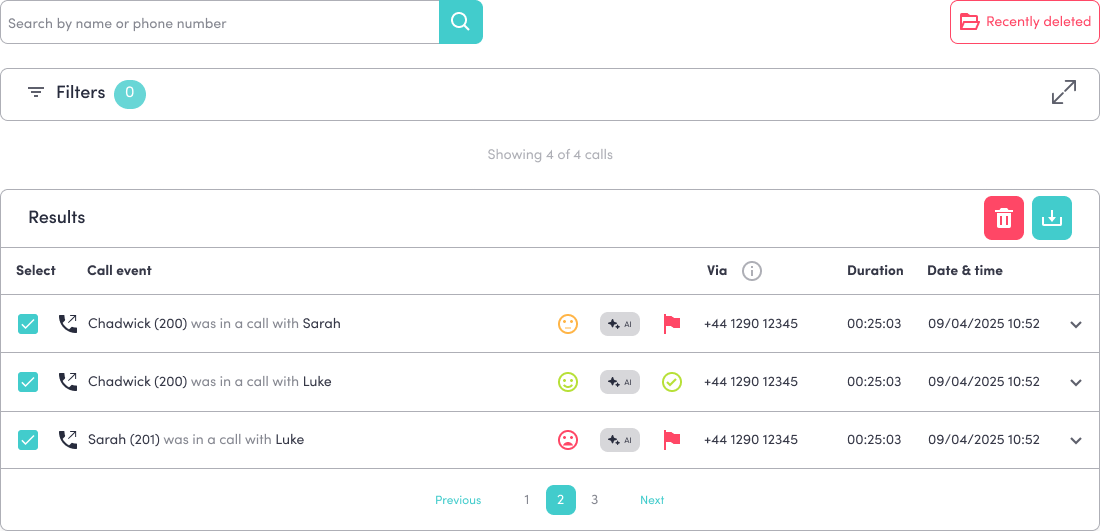
Opening a call for the full details
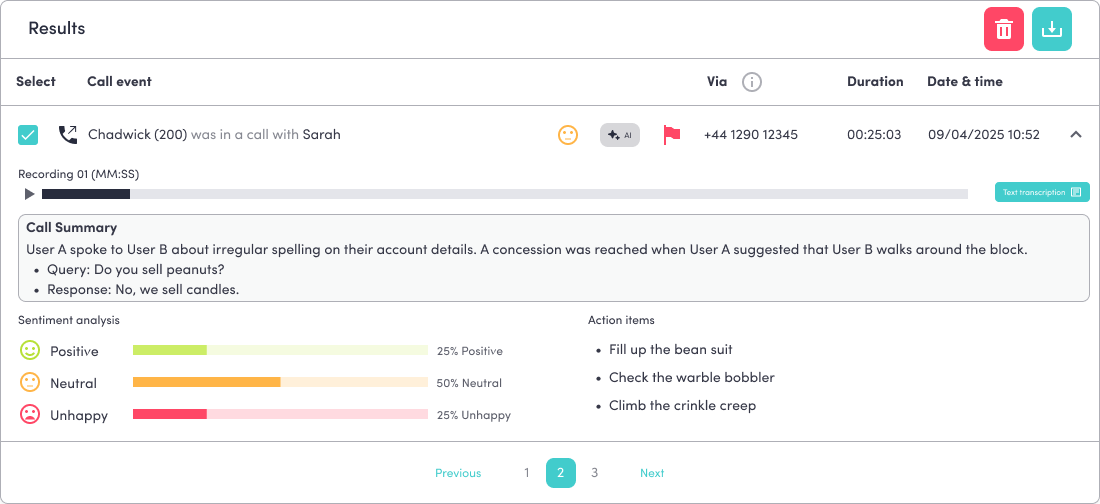
Click the dropdown arrow on any call to expand it. You'll see:
The recording — press Play to listen, or click Text transcription to read the full conversation.
Call Summary — a short recap of what the call was about and how it ended, with the key points pulled out as bullets.
Action items — a list of suggested follow-ups drawn from the call, so nothing gets missed.
Finding calls by sentiment
You can filter by sentiment to pull up exactly the calls you want to review:
Open Filters → Advanced filters.
Choose a Sentiment — Positive, Neutral, or Negative.
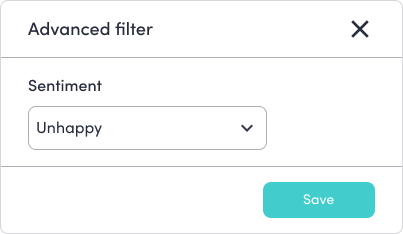
For example, pull up every Negative call from the past week to see which customers need to be followed up on.
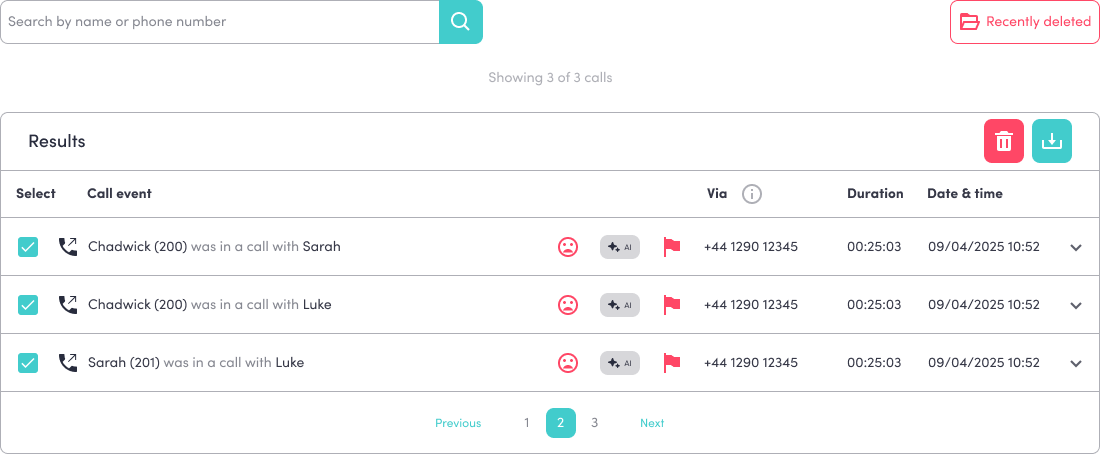
Putting it to use
Spot unhappy customers before a problem grows.
Act on every call using the action items, so follow-ups don't slip.
Coach your team using real examples of calls that went well.
Track how you're doing by watching sentiment across your calls over time.
Was this article helpful?
That’s Great!
Thank you for your feedback
Sorry! We couldn't be helpful
Thank you for your feedback
Feedback sent
We appreciate your effort and will try to fix the article