The Dial menu filter allows you to quickly find call recordings linked to a specific dial menu option, such as Sales, Support, or other configured call routes. This not only helps you narrow down recordings based on the caller’s selection, but also lets you instantly see which dial menu option the customer used when contacting your business.
How to filter recordings by dial menu
Go to Call Recordings.
Click Filters.
Locate the Dial menu dropdown.
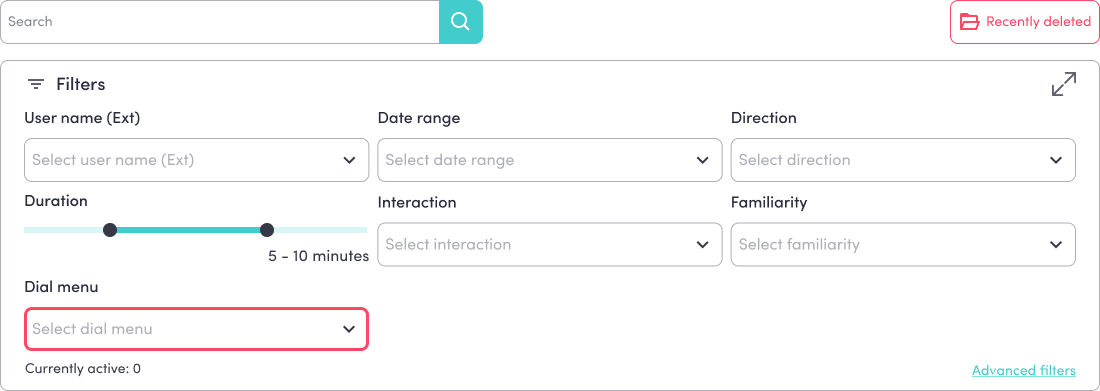
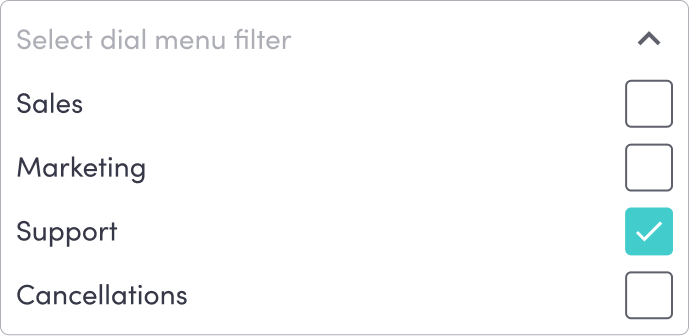
Select the required dial menu option.
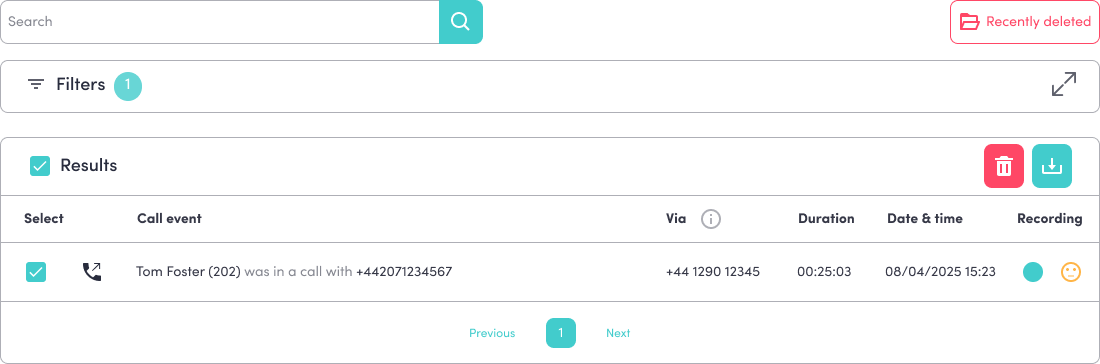
The recordings list will automatically update to show matching results.
The selected dial menu option stays attached to the call throughout the system.
For example, if a caller selects Support from your dial menu, that information will appear across multiple areas of the bOnline platform.
This helps teams quickly identify the call's purpose without first listening to the recording.
You can also view the selected dial menu option in:
Inbound calls
Call History
Missed Calls
Voicemail
Supported devices
Example
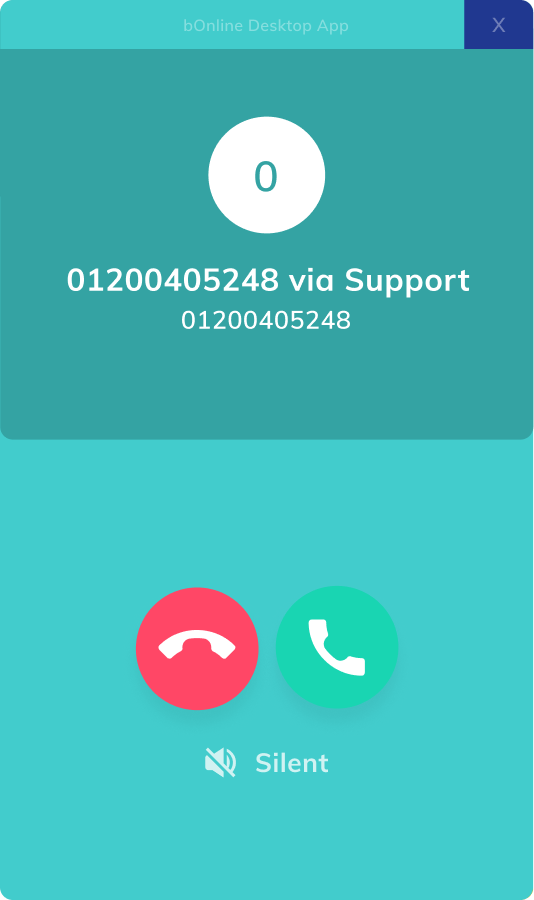
In the example below, the caller selected the Support dial menu option before the call was answered.
Was this article helpful?
That’s Great!
Thank you for your feedback
Sorry! We couldn't be helpful
Thank you for your feedback
Feedback sent
We appreciate your effort and will try to fix the article