The Offers page in MybOnline is where we bring together the deals, free trials, rewards and upgrades available on your account, all in one place. This guide walks you through how to get there and explains what each section does.
How to open the Offers page
Log in to your MybOnline account.
In the left-hand menu, click Offers (look for the star icon).
What you see is tailored to your account, so some sections may not appear if they don't apply to you.
Your renewal offer (shown near your contract end date)
If one of your products is coming up for renewal, a card appears at the top of the page.

The card shows a full summary so you can compare your options at a glance:
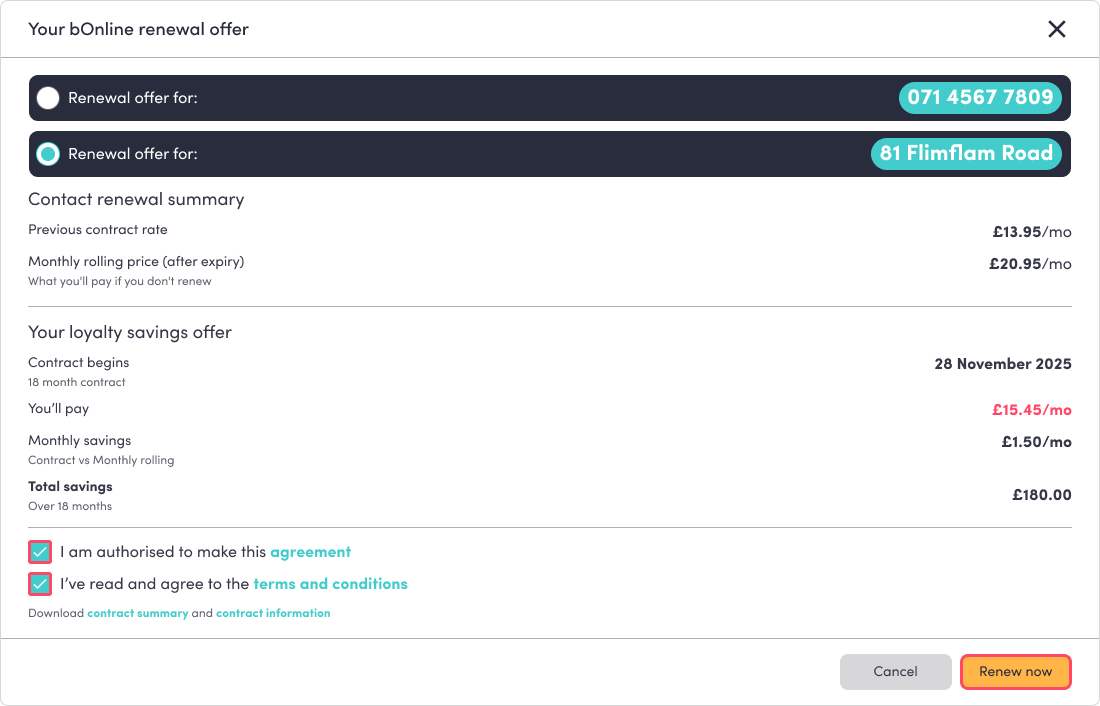
Contract renewal summary – your current price, the monthly rolling price you'd pay if you don't renew, and the date your current contract ends.
Your loyalty savings offer – the new price, contract length, your monthly saving versus the rolling price, and your total saving over the term.
To renew:
If you have more than one contract due for renewal, you'll first be asked to select which contract to renew before the summary appears.
Read through the renewal summary.
Tick I am authorised to make this agreement.
Tick I've read and agree to the terms and conditions (you can open the terms from the links).
The Renew now button becomes active; click it to confirm.
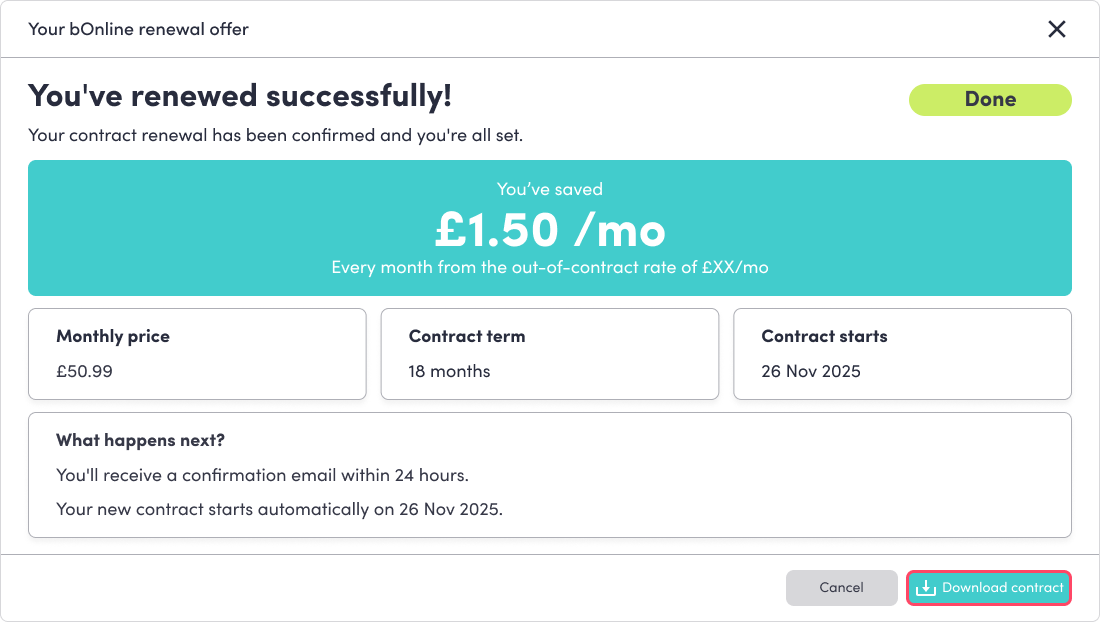
Once it's done, you'll see a "You've renewed successfully!" message and can click Download contract to save a copy.
Free trial add-ons
This section offers add-ons you can try for free for one month. Each card shows what the add-on does, the length of the free trial, and the price after the trial ends.
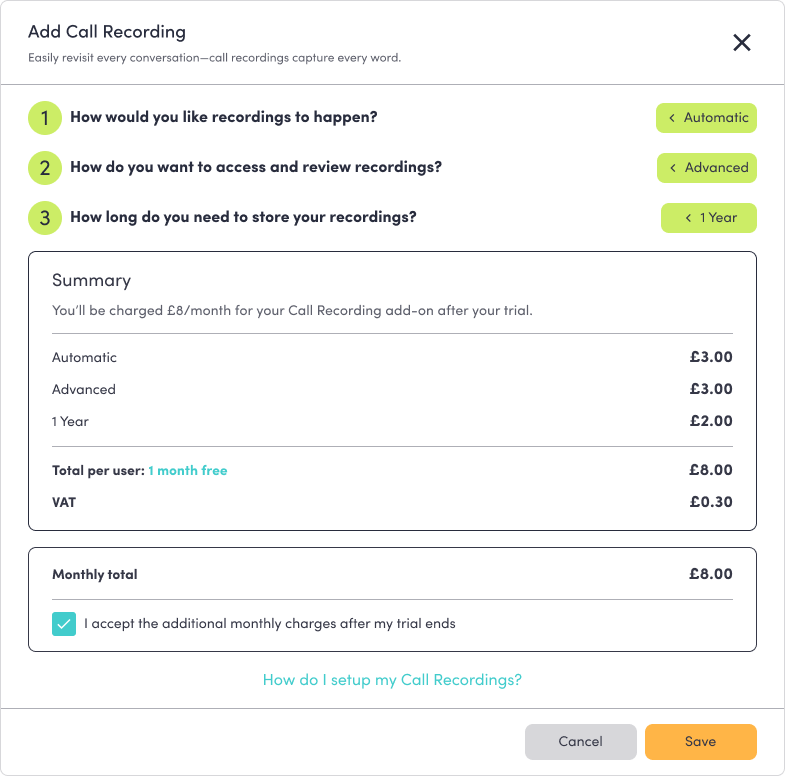
AI Call Recording – records, summarises and scores every call automatically. 1 month free, then £8/mo.
CRM Integration – syncs your calls and contacts with 200+ CRM tools. 1 month free, then £8/mo.

To claim an add-on:
Click Claim offer on the card you want.
For AI Call Recording, a summary opens showing your one-month free trial; confirm to activate it.
For CRM Integration, you'll be taken to the Integrations page to choose your CRM and switch it on. Your one-month free offer is applied automatically when you enable it.
Once an add-on is active, its card shows an "Active" chip, and the button changes to Offer claimed. Each offer can be claimed once per account.

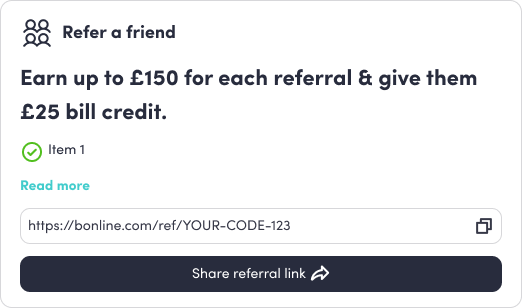
Refer a friend – earn up to £150 for each referral, and your friend gets a £25 bill credit.
Copy your personal referral link using the copy button next to it, or click Share referral link to open the sharing options.
Send the link to your contacts.
When they sign up, your reward is applied to your account.
Click Read more for the full details of how the referral reward works.
Partner offers
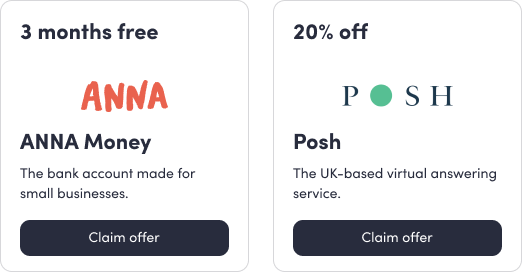
Limited-time deals from bOnline's trusted partners. Each tile shows the partner's logo, the deal, and a short description.
ANNA Money – 3 months free. A business bank account built for small businesses.
Posh – 20% off. A UK-based virtual answering service.
To claim a partner offer:
Click Claim offer on the partner tile.
The partner's website opens in a new browser tab.
Follow the steps on their site to redeem the deal.
Was this article helpful?
That’s Great!
Thank you for your feedback
Sorry! We couldn't be helpful
Thank you for your feedback
Feedback sent
We appreciate your effort and will try to fix the article