While your bOnline account is in trial, you can choose a different phone number by searching by town, postcode, or area code. This article explains how to find and select a new number through the MybOnline portal.
Please note: Changing your trial number requires you to upgrade your account. You will be redirected to the Upgrade page after selecting a number, and the change will only take effect once you have completed the upgrade.How to Change Your Trial Number
- Log in to the MybOnline portal.
- On the Home page, locate the trial status banner and click Change number.

- In the search bar, enter a town, postcode, or area code to find available numbers in that location.
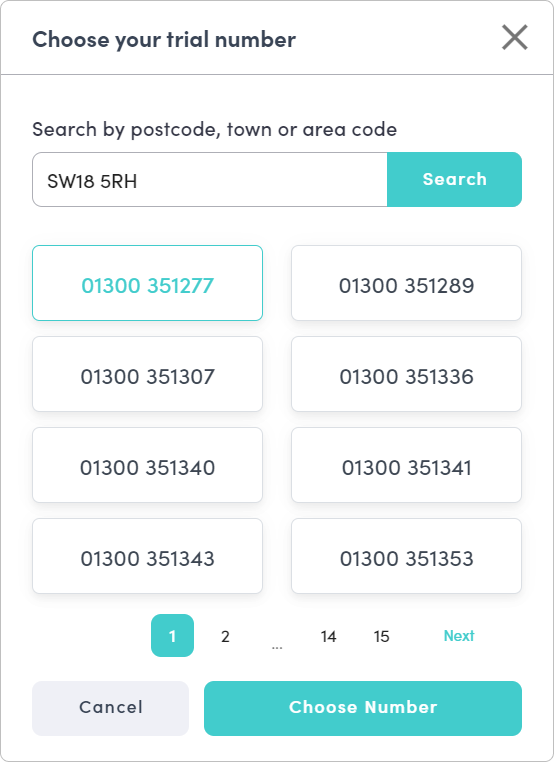
- Browse the list of available numbers and click the one you want to select.
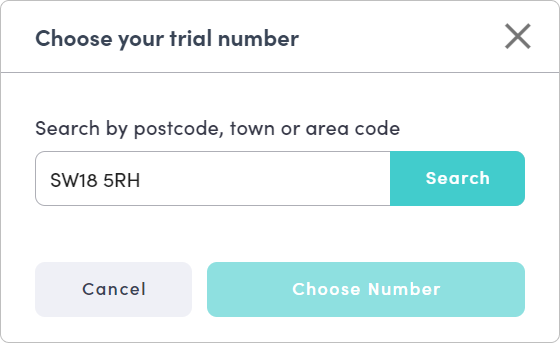
- Click Choose number to confirm your selection.
- You will be redirected to the Upgrade page. Complete the upgrade to apply your new number.
Can't Find the Number You Want?
If you would prefer a specific or memorable number, contact the bOnline team directly and they will help you find a suitable option.
Related Articles
Was this article helpful?
That’s Great!
Thank you for your feedback
Sorry! We couldn't be helpful
Thank you for your feedback
Feedback sent
We appreciate your effort and will try to fix the article