The personal voicemail messages feature makes it easy to find your voicemails by separating your specific voicemails from the rest of the company. This guide will help you access your personal voicemail messages via the bOnline mobile and desktop apps.
Steps to Access Voicemail via the Mobile App
Open the Mobile App on your cellphone.
Click on the Recents button at the bottom of the screen.
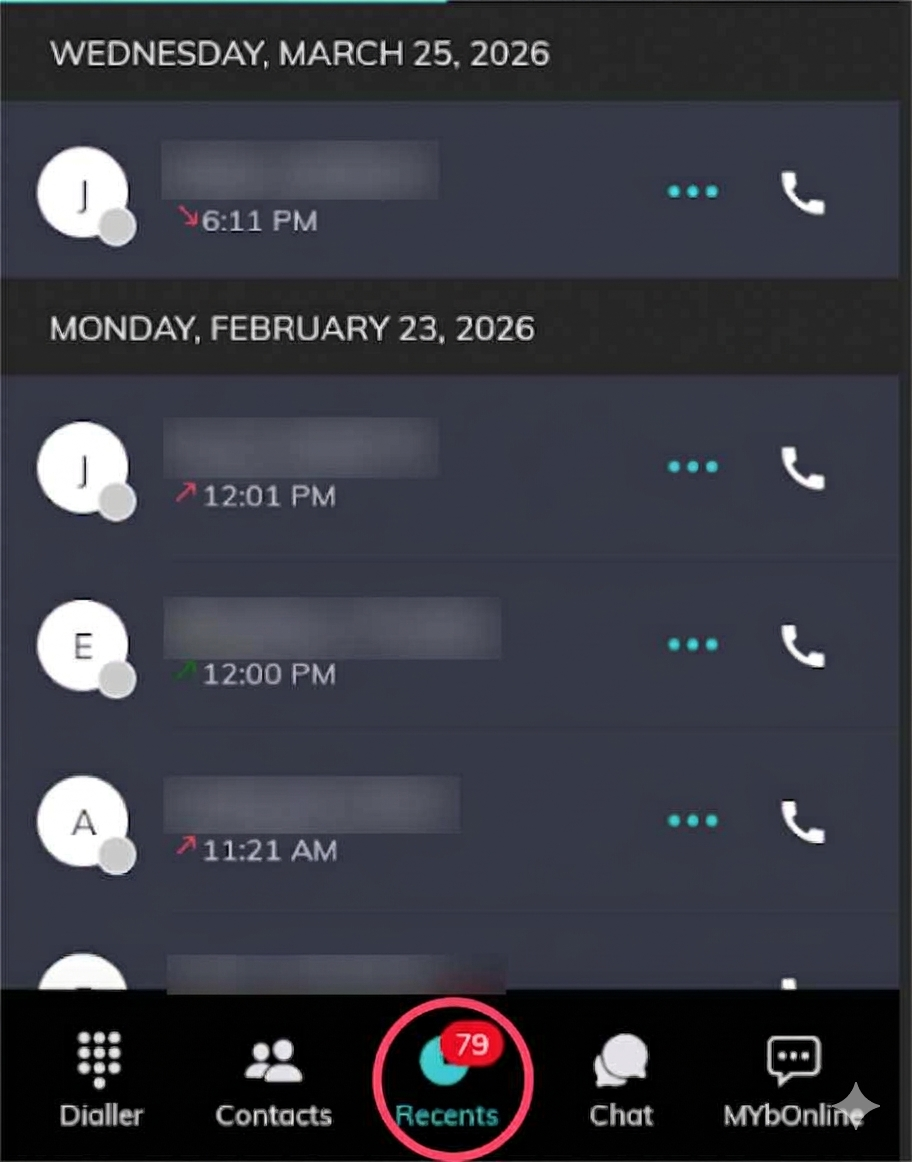
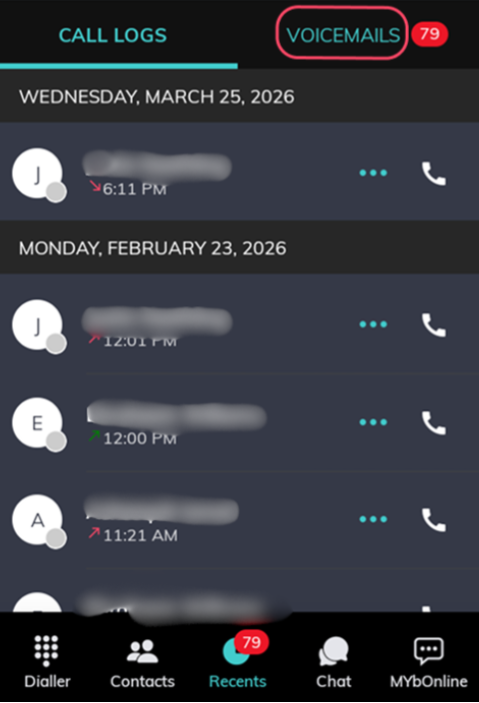
Click on the Voicemail tab near the tab of the screen.
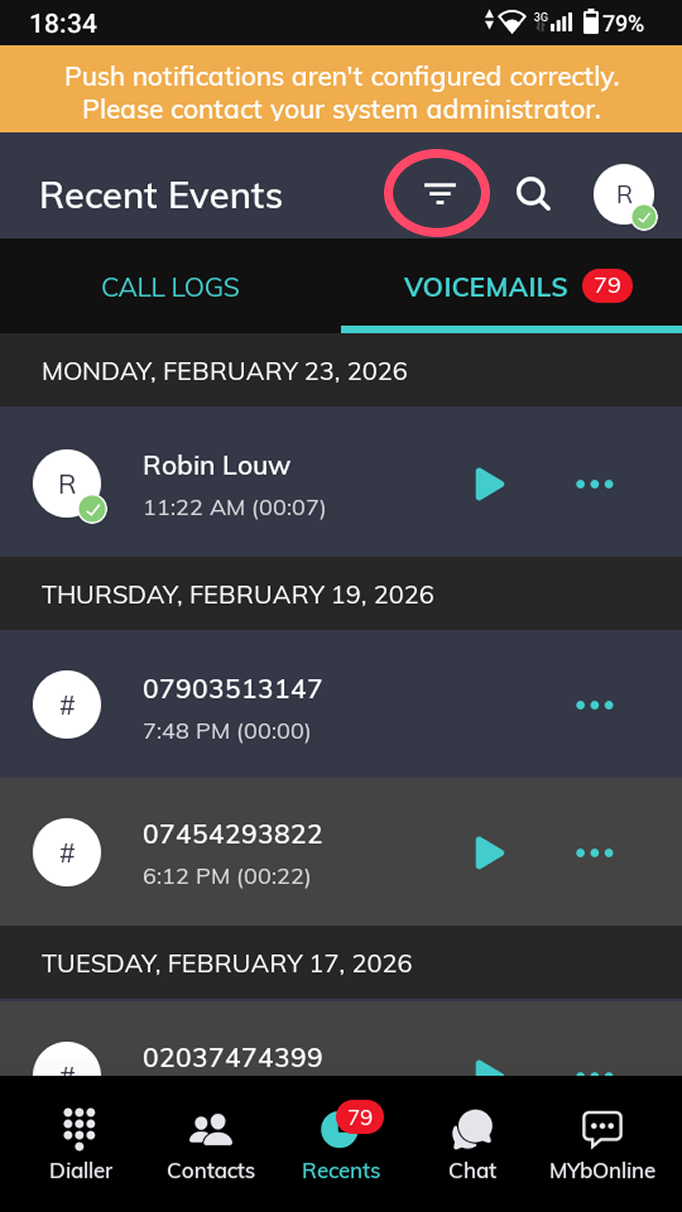
Click on the Filter icon
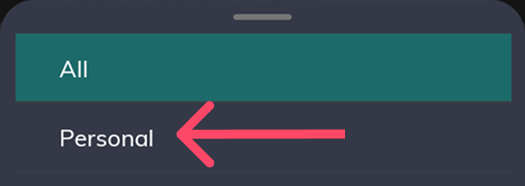
5. Select “Personal” from the dropdown that appears at the bottom of the screen.
Steps to Access Voicemail via the Desktop App
Here’s how you can access your personal voicemail messages in the bOnline desktop app.
Open the Desktop App on your computer.
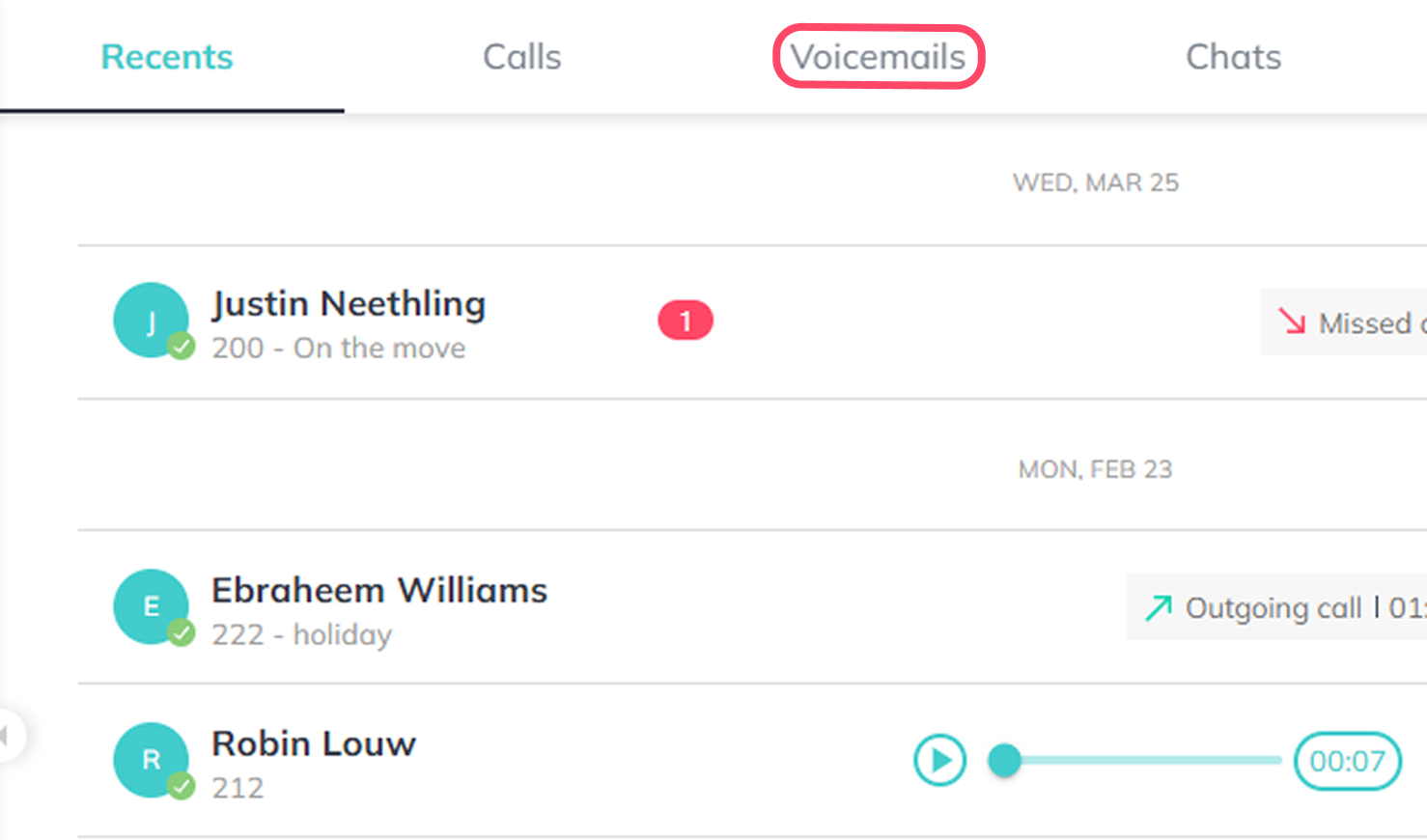
Click on the Voicemail tab at the top right of the screen
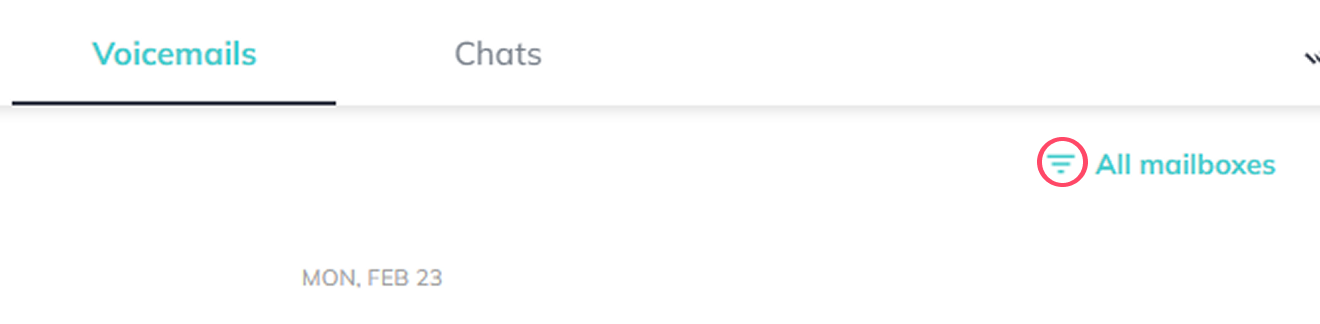
Click on the Filter button next to “All mailboxes”
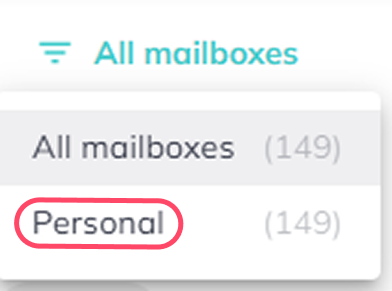
Select “Personal”
Was this article helpful?
That’s Great!
Thank you for your feedback
Sorry! We couldn't be helpful
Thank you for your feedback
Feedback sent
We appreciate your effort and will try to fix the article