You can renew your bOnline contract directly through the MybOnline portal in a few steps.
Steps to Follow
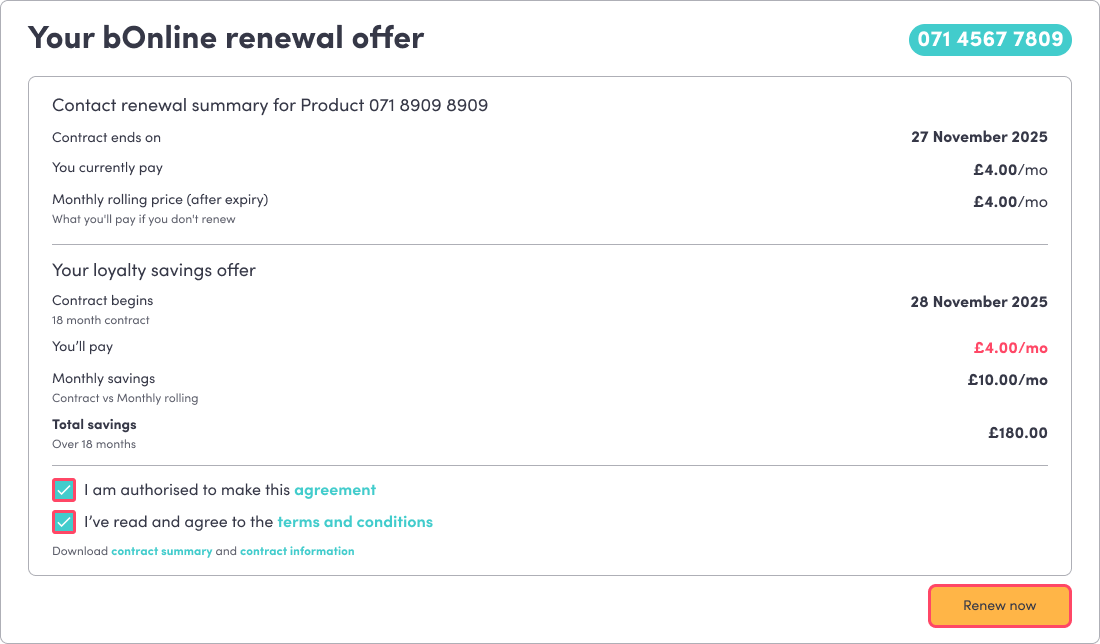
- Log in to the MybOnline portal and go to the Offers page.
- Review your renewal offer details, including your new monthly price and savings.
- Confirm you are authorised to make changes to the account.
- Tick the box to accept the Terms and Conditions.
- Download or view your contract documents (optional).
- Select Renew Now.
Your renewal is processed automatically. There is no need to call or wait for manual confirmation.
After You Renew
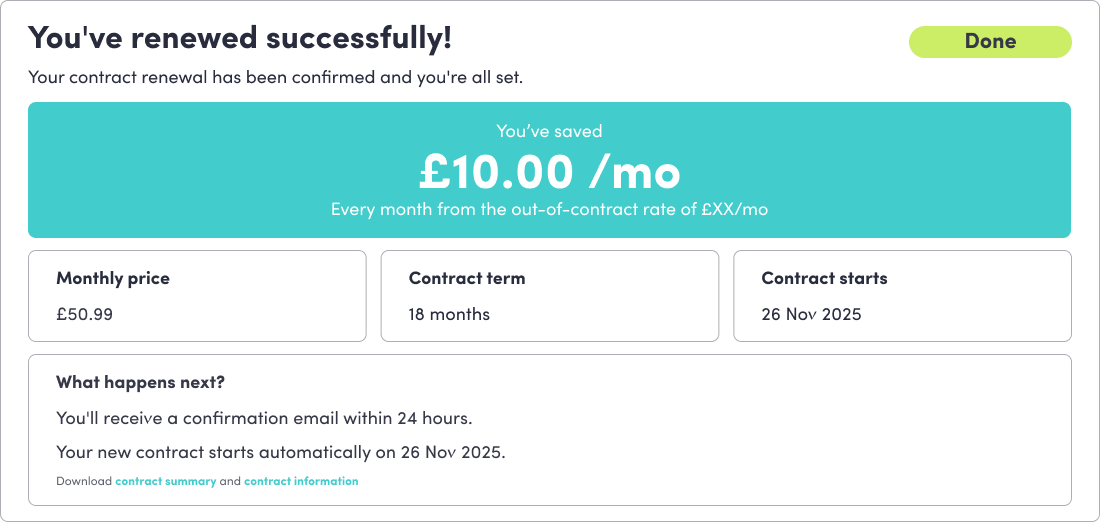
- The Offers card switches to a Success state.
- Your renewal will stay visible until your new contract start date.
- The card automatically disappears once your new contract becomes active.
You do not need to take any further action.
Video Walkthrough
See the attached video for a full walkthrough.
Related Articles
Was this article helpful?
That’s Great!
Thank you for your feedback
Sorry! We couldn't be helpful
Thank you for your feedback
Feedback sent
We appreciate your effort and will try to fix the article