If your contract is coming to an end or has already ended, you may notice your monthly price increase. You can renew your contract directly in MybOnline and access personalised offers to help you save money and avoid out-of-contract rates.
What Is a Renewal Offer?
A renewal offer is a personalised deal available to you when your contract is ending or has already expired. By renewing, you can:
Lower your monthly bill
Avoid higher out-of-contract pricing
Lock in a new contract at a better rate
Where Do I Find My Renewal Offer?
If your contract is ending soon:
Log in to your MybOnline portal.
On your Home page, you'll see a Renew your contract card at the top.
Select Renew now to view your offer.
If you are already out of contract:
You'll see a Your contract has ended banner after your first invoice at the increased price.
The Offers page also appears in your left-hand menu, where you can view and accept your offer.

What Information Will I See in My Offer?
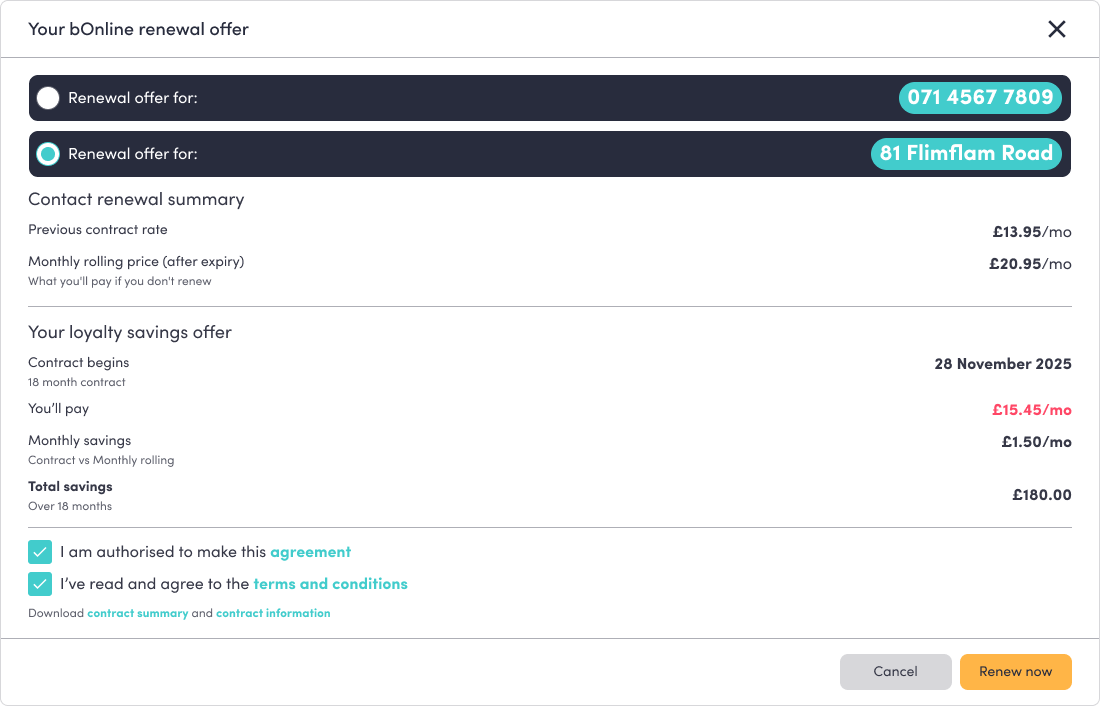
Your renewal offer includes:
Your product (for example, phone number or location).
Your contract end date.
Your current monthly price.
Your monthly rolling (out-of-contract) price — what you'll pay if you don't renew.
Your new renewal price and contract length.
Your new contract start date.
Your monthly savings.
Your total savings over the contract term.
How Are Savings Calculated?
Your savings are based on the difference between your monthly rolling (out-of-contract) price and your new renewal price. You'll see both how much you save each month and your total savings across the full contract term.
How Do I Renew My Contract?
Open your renewal offer from the Renew your contract card (Home page) or the Your contract has ended banner (Offers page) and select Renew now.
If more than one contract is due for renewal, choose which one to renew.
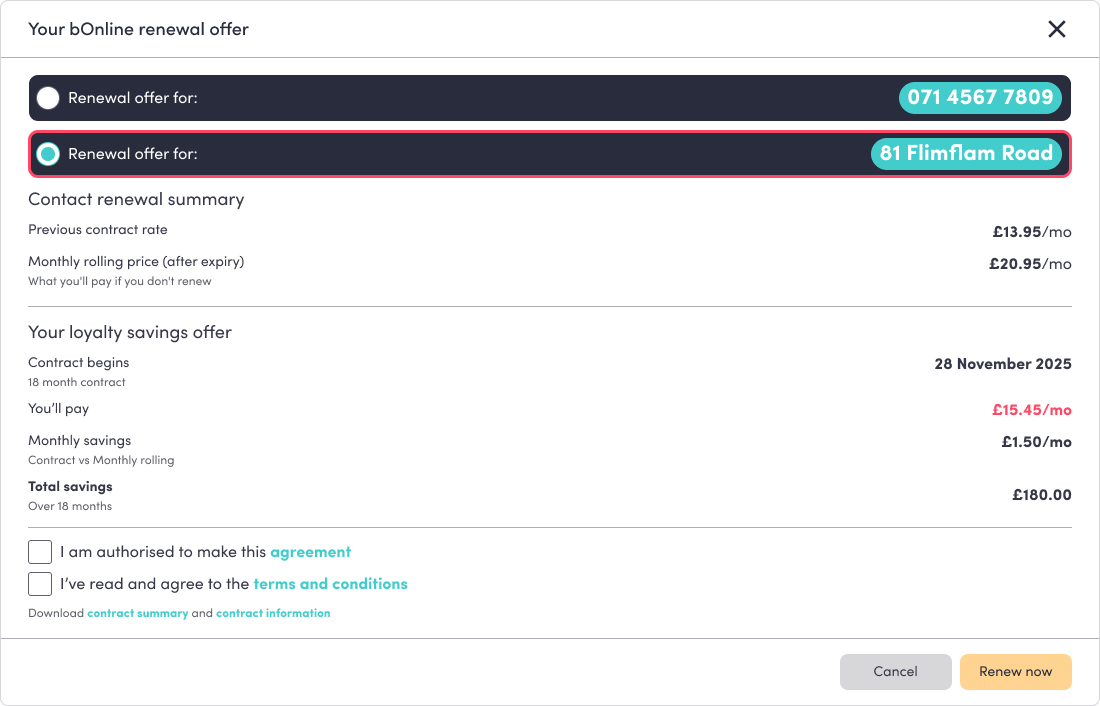
Review your personalised renewal offer.
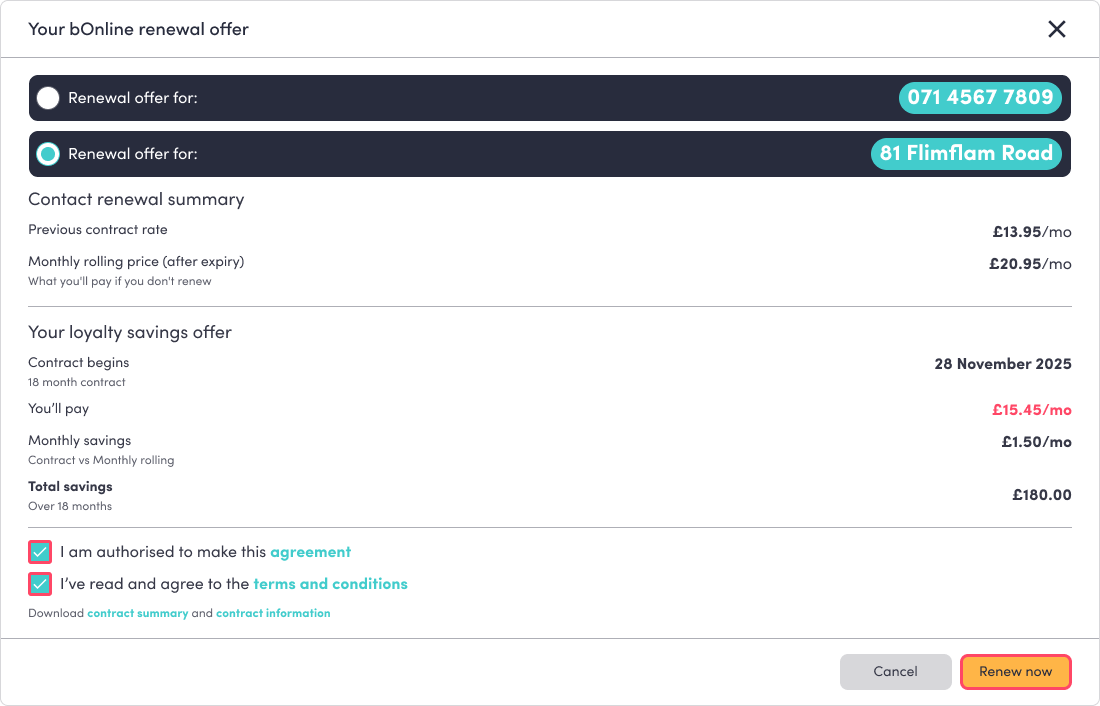
Tick I am authorised to make this agreement.
Tick I've read and agree to the terms and conditions.
Select Renew now. This button becomes active once both boxes are ticked.
What Happens After I Renew?
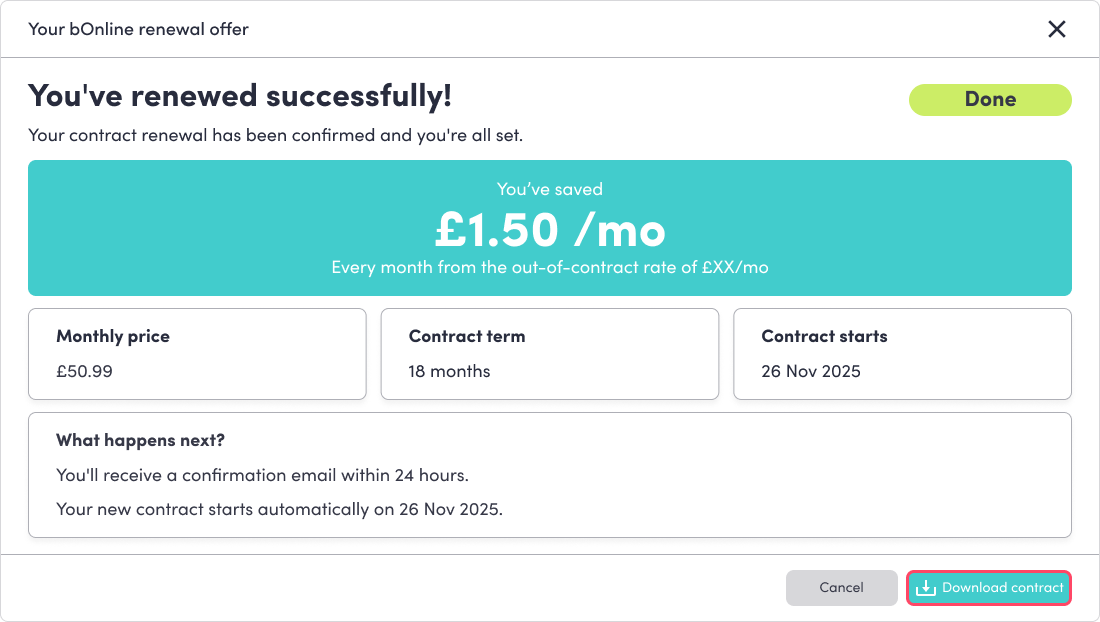
You'll see a "You've renewed successfully!" confirmation in MybOnline.
You can select Download contract to save your documents.
Your new contract details are emailed to you.
Your new contract starts from your next billing cycle.
When Does My New Contract Start?
Your renewed contract begins at the start of your next billing cycle, so everything aligns smoothly with your billing.
Video Walkthrough
See the attached video for a full walkthrough.
Related Articles
Was this article helpful?
That’s Great!
Thank you for your feedback
Sorry! We couldn't be helpful
Thank you for your feedback
Feedback sent
We appreciate your effort and will try to fix the article